
The Quest for the Perfect Desk Setup Starts Here
Why Your Perfect Desk Setup Shapes Everything About Your Workday
A perfect desk setup is the foundation of a productive, pain-free, and enjoyable workday — and building one is simpler than most people think.
Quick answer: The essential elements of a perfect desk setup are:
- Ergonomic chair with adjustable lumbar support, seat height, and armrests
- Desk at elbow height — forearms roughly parallel to the floor when typing
- Monitor at eye level — top of screen aligned with your eyes, 20-28 inches away
- Cable management — under-desk trays and clips to eliminate visual clutter
- Task lighting — positioned to the side, rated 4000K-5000K for daytime focus
- Clean, intentional surface — only what you need, within easy reach
Think about where you actually work right now. Is it a dining chair that leaves your back aching by noon? A desk where cables snake across every surface? A screen so low it pulls your neck forward all day?
You’re not lazy or unfocused. It’s an environment problem.
Research consistently shows that physical discomfort and visual clutter don’t just feel bad — they quietly drain your mental energy before you’ve even started your real work. By 2026, with over half of knowledge workers operating in hybrid or fully remote roles, the stakes of a poorly designed workspace have never been higher.
The good news: you don’t need to spend thousands to fix it. Smart positioning often matters more than expensive equipment. A few targeted changes — the right chair height, a monitor raised to eye level, cables tucked out of sight — can transform how you feel and perform within days.
This guide walks you through every decision, in the right order, so you can build a workspace that actually works for your body, your budget, and your life.
The Core Components of a Perfect Desk Setup
When we talk about a perfect desk setup, we aren’t just talking about how it looks on social media. We are talking about a holistic system designed to support your body and mind. Many people make the mistake of buying one “ergonomic” gadget and hoping for the best. In reality, ergonomics is about adapting the workspace to the human body, not forcing the body to fit the furniture.
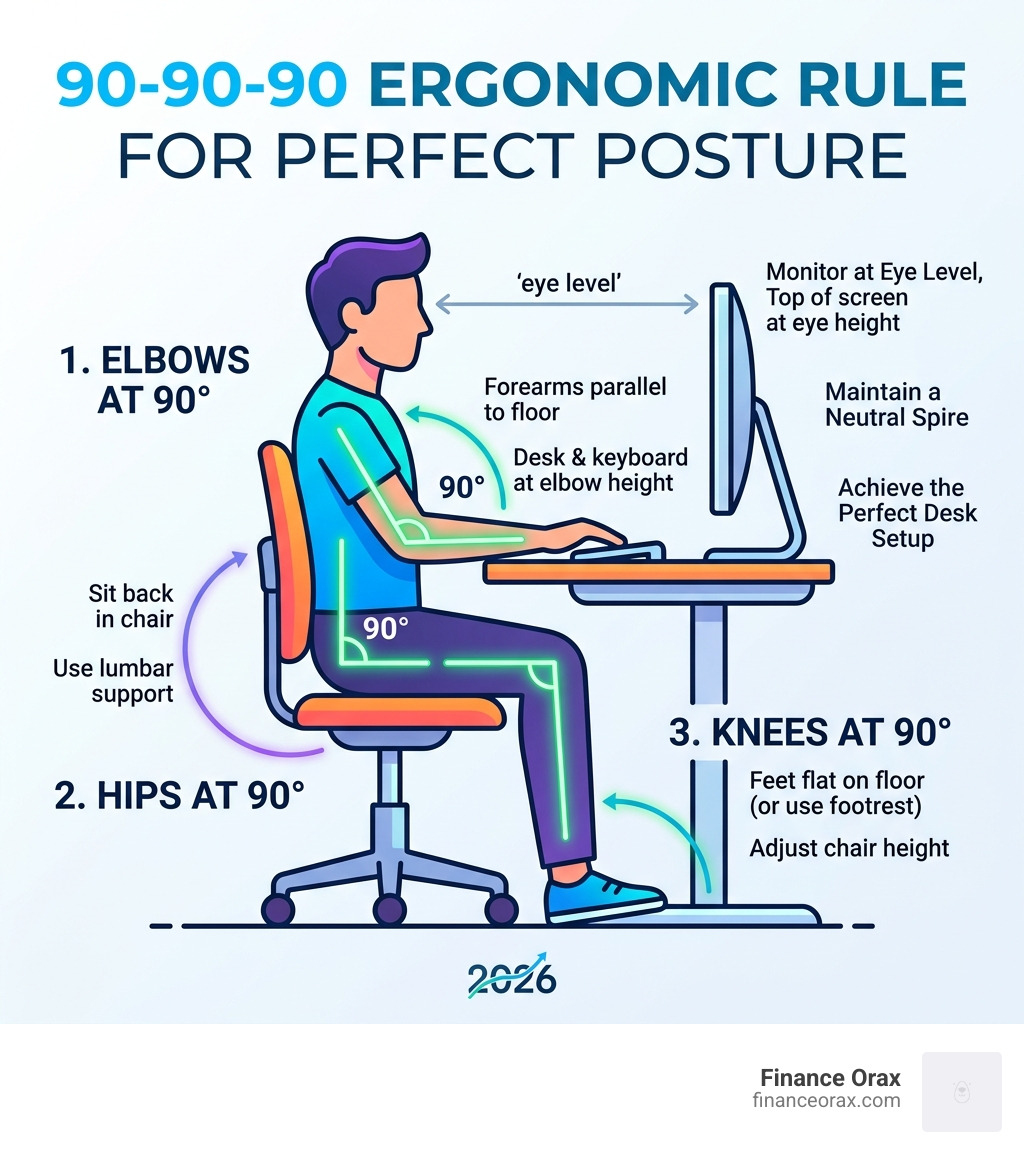
The foundation of any great setup is a “neutral posture.” This is the position where your body is under the least amount of strain. Achieving this requires a specific upgrade order. If you have a limited budget, we always recommend prioritizing your chair first. A bad chair will wreck your back far more than a mediocre desk will, and quality office chairs are built to last 7 to 15 years.
Ergonomic Alignment for the Perfect Desk Setup
The most common mistake we see is monitor height. Most monitors are positioned far too low, which leads to “tech neck”—that painful forward slouch that affects nearly 83% of desk workers. According to the Mayo Clinic, proper ergonomics is essential for preventing these types of repetitive strain injuries.
To fix this, your monitor should be raised so the top of the screen is at or slightly below eye level. This usually requires a 4-8 inch riser or a monitor arm. You should be sitting about 20 to 28 inches away from the screen (roughly an arm’s length).
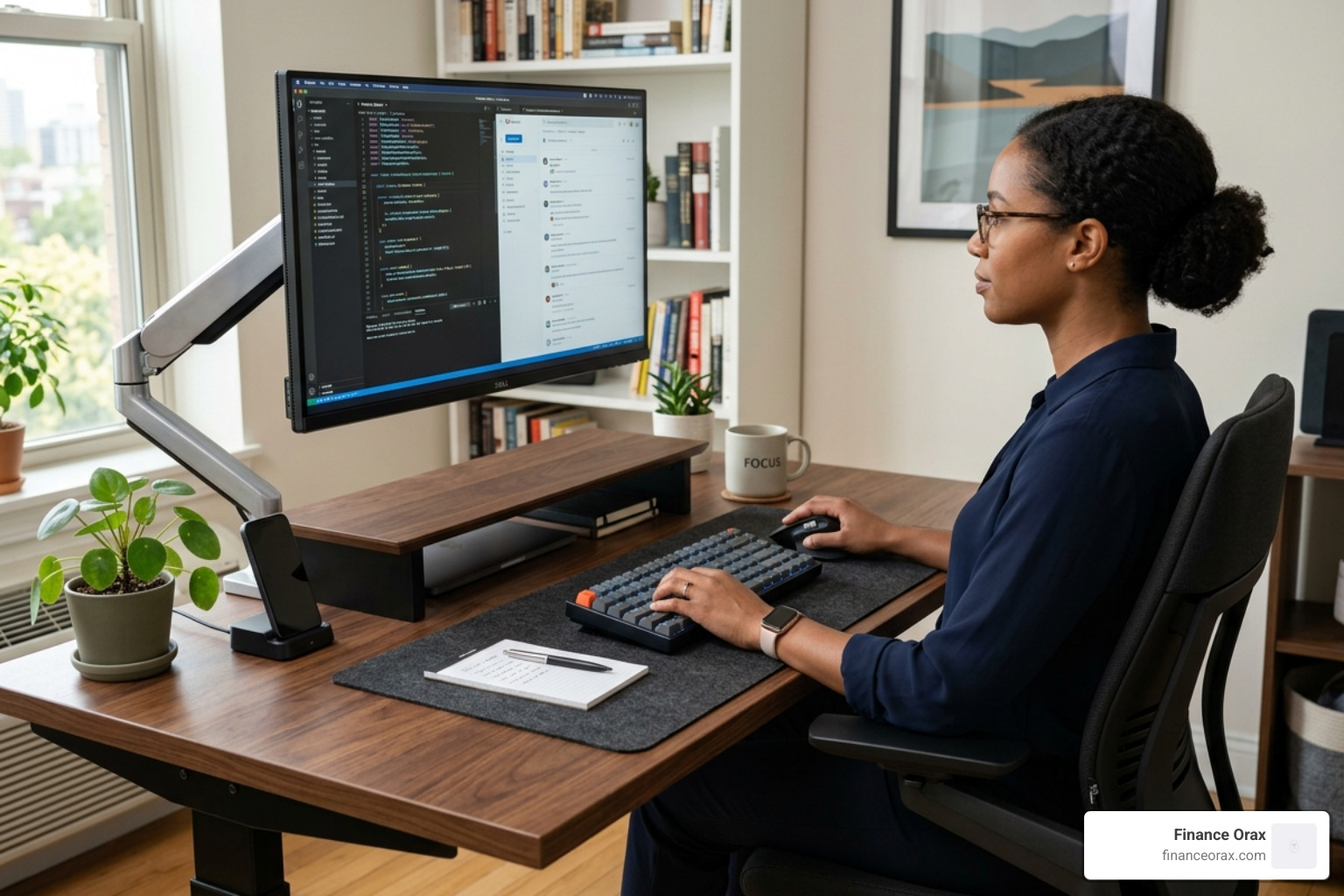
When it comes to your arms, your elbows should rest at a 90-110 degree angle. If your desk is too high, it creates shoulder tension; if it’s too low, you’ll find yourself leaning forward. Here is a quick posture checklist to keep us on track:
- Feet: Flat on the floor or a footrest (no crossing legs!).
- Knees: At a 90-110 degree angle, with a few inches of space between the seat edge and the back of your knees.
- Lumbar: The chair’s support should physically contact the curve of your lower back.
- Wrists: Neutral and straight, not bent up or down while typing.
Peripheral Selection for the Perfect Desk Setup
Once the foundation is set, we look at the tools you touch every day. Upgrading your peripherals isn’t just about “tech specs”; it’s about efficiency. For instance, research shows that a dual monitor setup can improve efficiency by 30%. Whether you choose two screens or one massive ultrawide, the goal is to reduce the “alt-tab” fatigue of constantly switching windows.
We also suggest looking into mechanical keyboards and vertical mice. A vertical mouse keeps your forearm in a “handshake” position, which significantly reduces the risk of repetitive strain injuries (RSI). If you work from a laptop, please don’t leave it flat on the desk for eight hours. Use a laptop stand combined with an external keyboard and mouse to bring that screen up to eye level. Finally, a Thunderbolt or USB-C docking station is the “quiet hero” of a perfect desk setup, allowing you to connect all your gear with a single cable, keeping the desktop clean and professional.
Standing Desks and the Science of Movement
By April 2026, the traditional fixed-height desk is becoming a relic of the past. Standing desks have become affordable and essential for anyone serious about their health. The primary benefit isn’t just standing; it’s movement. Prolonged static posture—what some call “sitting disease”—can lead to circulation issues and fatigue.
| Feature | Sitting | Standing |
|---|---|---|
| Spine Pressure | Higher (especially if slouching) | Lower (promotes natural curve) |
| Energy Levels | Lower (can lead to mid-day slump) | Higher (increases alertness) |
| Calorie Burn | Baseline | ~50 extra calories per hour |
| Focus | Good for deep, quiet tasks | Excellent for meetings and quick tasks |
When choosing a standing desk, look for a height range of 24 to 50 inches to accommodate both sitting and standing. We recommend dual-motor models for better stability and a weight capacity of at least 220-300 lbs so the desk doesn’t wobble when fully extended.
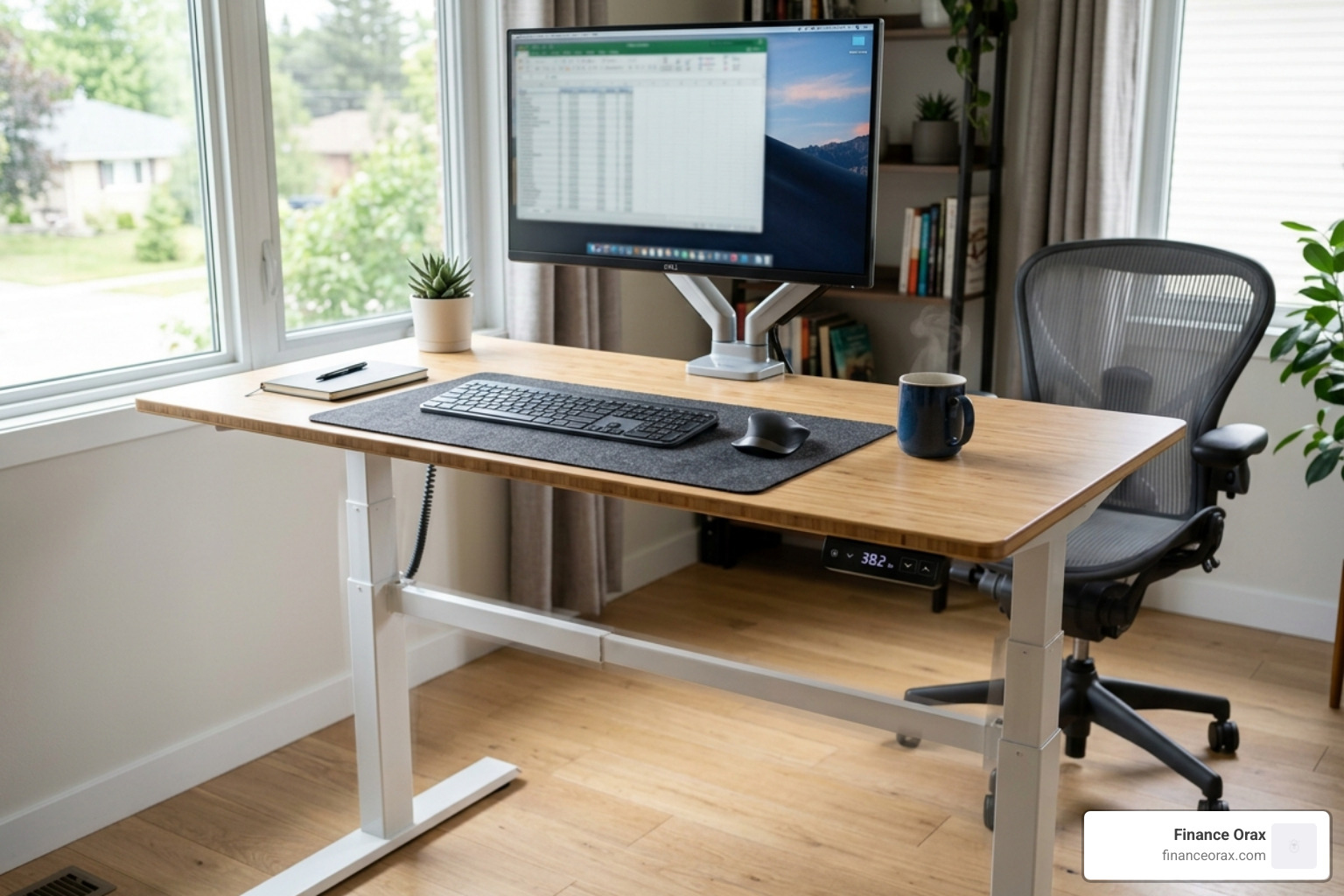
The “secret sauce” to using these desks is the 20-8-2 rule: sit for 20 minutes, stand for 8 minutes, and move or stretch for 2 minutes. Alternating positions every 30-60 minutes keeps your blood flowing and your mind sharp.
Mastering Organization, Lighting, and Personalization
A cluttered desk leads to a cluttered mind. Visual noise acts as a constant, unconscious drain on your cognitive load. Effective cable management can reduce visible clutter by 80%, instantly making your workspace feel more professional and less stressful.
We suggest using under-desk cable trays to hold power strips, J-channels for routing wires along the desk edges, and adhesive clips or cable sleeves to bundle everything together. If you use a sit-stand desk, ensure your cables have enough “slack” to move up and down without pulling on your devices!
Desk Mats and Zone Segmentation
One of our favorite minimalist tricks is the desk mat. A standard 24×14 inch mat does more than just protect your desk; it defines your “work zone.” It acts as a visual anchor that tells your brain, “This is where the work happens.”
Felt or vegan leather mats also provide noise reduction (no more clunking keyboards) and a comfortable surface for your wrists. It’s a small investment that adds a major touch of sophistication to any perfect desk setup.
Lighting Solutions and Greenery
Lighting is often the most neglected part of a home office, yet it directly impacts eye strain and headaches. Avoid relying solely on overhead lights, which can cause glare. Instead, use a combination of natural light (positioned to the side of your monitor) and task lighting.
Screen bars (LED lamps that sit on top of your monitor) are fantastic because they illuminate your workspace without reflecting off the screen. For daytime focus, look for bulbs in the 4000K-5000K range, which mimic daylight. In the evening, switch to warmer tones (2700K-3000K) to help your nervous system wind down.
Finally, don’t forget the “3 Ps”: Plants, Pictures, and Paintings. Adding a snake plant isn’t just about aesthetics—they can improve air quality by 30% by removing toxins like formaldehyde. These “personal anchors” create an emotional bond with your space, making it a place you actually want to be, rather than a place you have to be.
Frequently Asked Questions about Desk Design
What is the ideal upgrade order for a desk setup?
If you are building your setup over time, we recommend this sequence:
- The Chair: This is your highest-priority health investment.
- Monitor Arm/Riser: The fastest way to fix neck pain.
- The Desk: Upgrade to a sit-stand model when budget allows.
- Cable Management: The cheapest way to improve the “feel” of your office.
- Peripherals: High-quality mice and keyboards to boost daily efficiency.
How do I maintain a clutter-free desk daily?
We practice the “five-minute reset.” At the end of every workday, return your pens to their trays, file away loose papers, and clear off coffee mugs. Using drawer organizers and vertical storage (like pegboards) helps keep your surface clear while ensuring your tools remain within your “primary reach zone.”
Are standing desk converters better than full desks?
Converters are a great budget-friendly alternative if you already have a high-quality traditional desk. They provide the same height-adjustable benefits for your monitor and keyboard. However, they offer less surface area than a full electric desk and can sometimes be less stable. If you have the space and budget, a full electric standing desk is usually the better long-term investment.
Conclusion
At Finance Orax, we believe that your environment is the silent partner in your success. A perfect desk setup isn’t an indulgence—it’s a tool for intentional living. By focusing on ergonomic health, smart organization, and personal touches, you create a space that supports your best work and your best self.
Building a better routine starts with the physical space around you. Take one step today—whether it’s raising your monitor or clearing those cables—and feel the difference in your next deep work session.
